



How to Identify Fake Accounts on VKontakte
Fake profiles have long infiltrated most social networks, with VKontakte being one of the most affected platforms. This article guides you through effective methods to spot and avoid fake accounts.
Fake accounts have saturated many social media platforms, but we most often encounter them on VKontakte. Since these fake profiles are frequently created hastily, identifying them is relatively straightforward. In this article, we will share practical tips on how to detect them.
Determine the Age of the Profile
Every VKontakte profile is assigned a unique identification number (ID) upon registration. This ID helps estimate how long the account has been active, which is crucial when suspecting a fake profile.
To find the ID, visit the user's profile and check the browser's address bar:

If the profile uses a custom username instead of a numeric ID, try this alternative method:

Navigate to the user's friends list; their numeric ID will appear in the address bar:
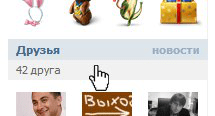

For example, an ID of 80,491,907 suggests the profile was created several years ago.
Knowing the ID allows you to approximate the account's creation date. For instance, an ID near 100,000,000 indicates a 2010 registration, around 180,000,000 corresponds to 2012, and approaching 280,933,146 means the profile is relatively new.
If you discover the account was created recently—within weeks or even days—be cautious about trusting this user.
Beware of common excuses from fake account owners trying to justify their new profiles, such as:
- "My old account was blocked, so I created a new one." Usually, account recovery via mobile phone is quick and straightforward.
- "I made a second account intentionally." Ask the user to send a message from their original account to verify.
Check User Activity on the Profile
Fake accounts often upload numerous avatars and photos, post frequently, and share many reposts to appear active. However, focus on the dates of these posts. If all photos and posts are uploaded within a single day or a short period, this is suspicious. Genuine users update their profiles gradually over time. Conversely, an empty profile is suspicious as well.
Verify the Authenticity of Photos
Fake profiles typically steal images from real users or other fake accounts. Repeated reuploads degrade image quality, causing pixelation.
Some photos are especially popular among fake accounts and are frequently reused:


You can verify photo authenticity using Google’s reverse image search. Save one of the user’s photos to your device:
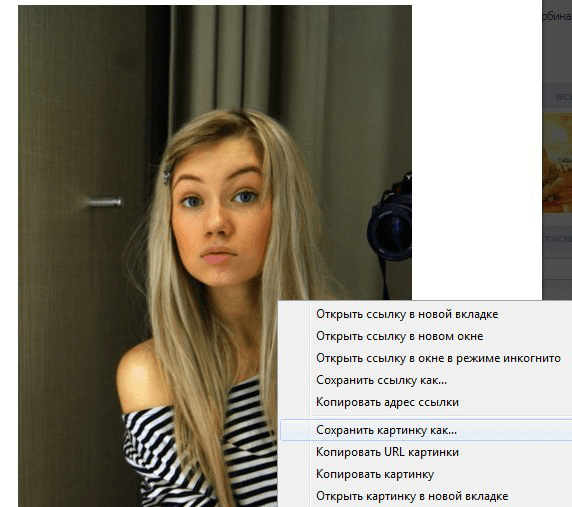
Then upload it to Google Images search. If the photo appears frequently online, it’s likely not genuine.
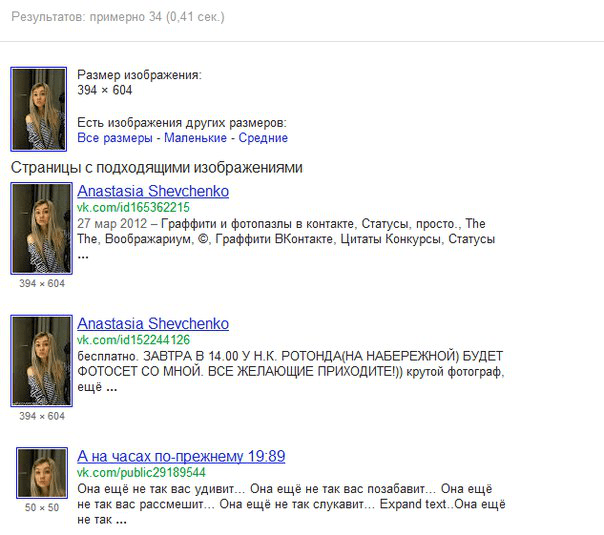
Since some fake accounts use less common images, check multiple photos for more reliable verification.
Observe Friends’ Activity on the User’s Profile
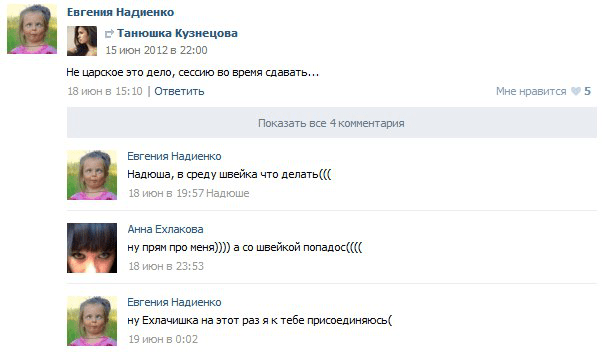
Real users have friends who like, comment, and share their posts. Inspect whether the user’s friends engage with their content. However, be cautious—fake accounts often connect with other fake profiles that simulate activity. Checking the friends’ profiles can provide additional clues.
Conduct a Thorough Interrogation
If the user claims to live in your city, ask specific questions that a local would easily answer. Inquire about workplaces, schools, or common landmarks. Pay attention to their responses—do they evade questions or provide vague answers? Genuine users tend to respond promptly and with detail.
Remember, fake account holders often react defensively to verification requests with phrases like:
"I’m not going to prove anything to you! If you don’t want to believe me, that’s your choice!"
Have you encountered effective methods to identify fake profiles? Share your experiences in the comments below.
Explore useful articles in Technologies as of 04-04-2022. The article titled " How to Identify Fake Accounts on VKontakte " offers in-depth analysis and practical advice in the Technologies field. Each article is carefully crafted by experts to provide maximum value to readers.
The " How to Identify Fake Accounts on VKontakte " article expands your knowledge in Technologies, keeps you informed about the latest developments, and helps you make well-informed decisions. Each article is based on unique content, ensuring originality and quality.